Series · Google AI Full-Stack Strategy
Episode 2 · Google AI Full-Stack Strategy 2 - From Solo Work to Vertex AI
Google AI Full-Stack Strategy 2 - From Solo Work to Vertex AI
This series analyzes how Google connects Gemini models with Android, Workspace, NotebookLM, creative tools and Vertex AI through real workflows. Part 2 asks a harder question than whether Google has many AI products: Can a user move from research to a brand, video and web product, then carry the same technology into an enterprise security and deployment system?
The professional workflow: from source material to a brand and product
A practical solo-brand workflow looks like this:
- Collect interviews, competitor PDFs, customer surveys and photos from multiple devices in Drive.
- Use NotebookLM to separate claims by source and identify recurring customer problems that can support a brand concept and storyboard.
- Iterate mood boards and campaign concepts with Gemini's Nano Banana image-generation family.
- Produce a video draft from the selected storyboard with Veo, then have a person review trademarks, likeness rights and product claims.
- Design the landing-page interface and user flow in Google Stitch.
- Send the screens to Google Antigravity, connect backend logic and deploy through Firebase or Cloud.
This is not a one-click company. Trademark conflicts in a brand identity, rights in generated imagery, regulated claims, code security and payment tests remain human responsibilities. The advantage is that less context and fewer files are lost between research, planning, visualization, prototyping and implementation.
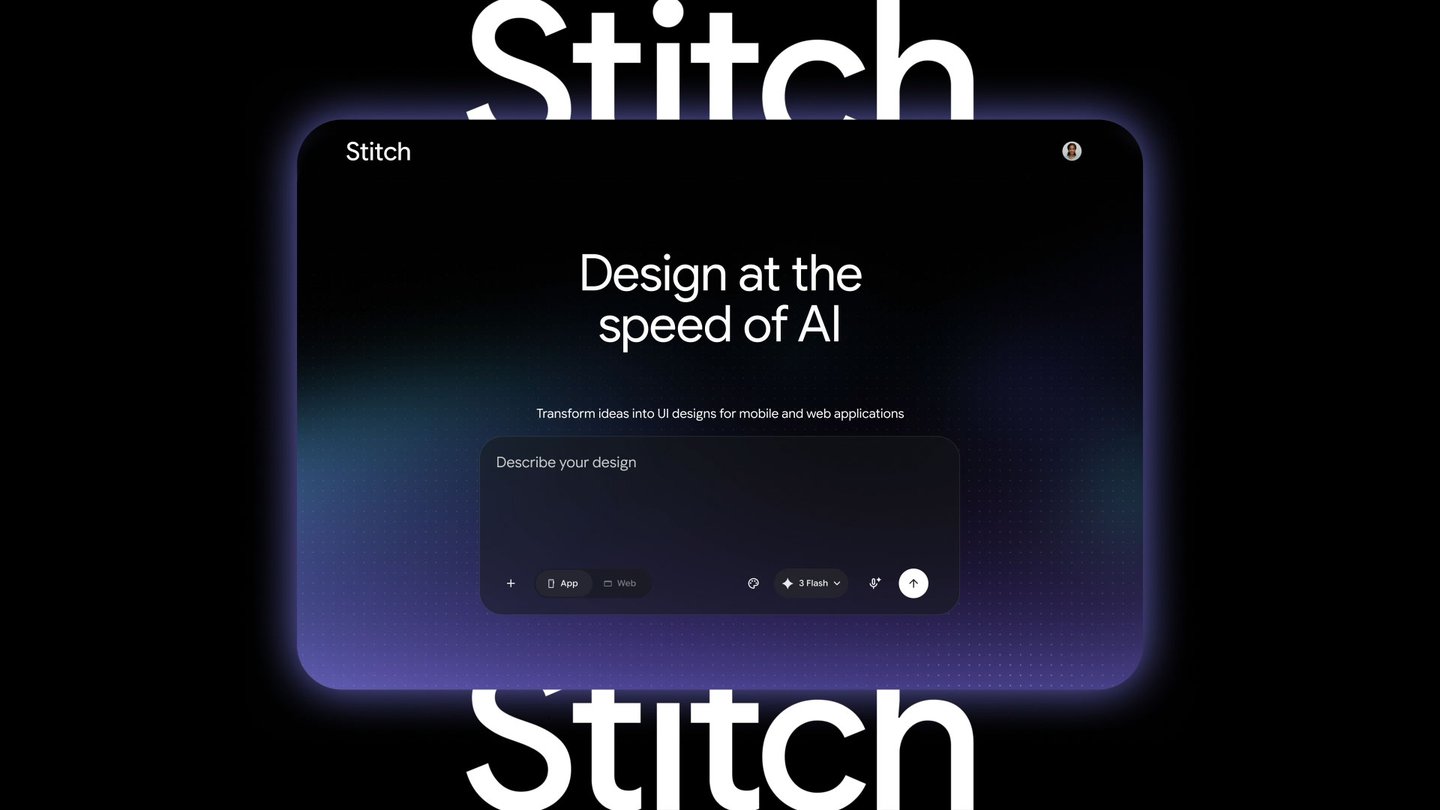
The official Google Stitch announcement describes text, voice, an existing codebase and design files as inputs, with real-time revision and export to Antigravity or direct web publishing. Google said the May 2026 update was available globally, but generated output is not automatically a production interface with correct accessibility, responsive behavior, performance and security.
The Google Antigravity 2.0 announcement positions the product beyond editor autocomplete: it adds multiple agents, scheduled tasks and integrations with AI Studio, Android and Firebase. Stitch produces and iterates the design, Antigravity implements and verifies it, and the Gemini API can become the intelligence inside the product.
The enterprise workflow: Workspace in front, Cloud behind it
An organization should distinguish the Workspace surface employees use from the Cloud systems serving customers.
| Area | Representative services | Enterprise role |
|---|---|---|
| Work surface | Gmail, Chat, Calendar, Meet, Docs and Drive | Email, meetings, documents and knowledge collaboration |
| Models and agents | Gemini API, Vertex AI and Agent Engine | Generation, tool use, agent execution and evaluation |
| Data | Cloud Storage, BigQuery and AlloyDB | Governed enterprise data and analytics |
| Application operations | Cloud Run, GKE, Firebase and API Gateway | Web, mobile and API deployment |
| Control | IAM, organization policy, VPC Service Controls and Logging | Least privilege, boundaries, audit and observability |
A sales team might save a Meet recap to Drive while an internal application searches only approved documents to draft a customer answer. The draft then passes CRM authorization and privacy filters before an employee approves it. Workspace Gemini and a Vertex AI application share a brand, but their data boundaries, terms and administration surfaces are not identical. Integration must be designed.
Why Vertex AI feels so complicated
The Vertex AI console presents models, Studio, prompts, evaluation, tuning, pipelines, endpoints, vector search, agents and observability. Google Cloud then adds projects, billing, API enablement, regions, quotas, service accounts and IAM. The complaint that it is difficult is justified.
Much of that complexity, however, represents enterprise questions:
- Who can invoke which model in which project?
- Which Storage or BigQuery data may a model read?
- Which service account should an agent use when acting on another service?
- In what region do data and inference run?
- Who tracks cost, latency, errors and prompt revisions?
- What boundary separates external networks from managed services?
The Vertex AI Agent Engine setup documentation discusses roles/aiplatform.user, service-account-user privileges, per-agent identities and managed service agents. This is unfriendly to a beginner, but it also avoids giving every agent one all-powerful owner credential.
A safer production pattern divides organizations, folders and projects by environment and data sensitivity. Human groups receive predefined roles while runtimes use separate service accounts. Instead of permanently clustering every API permission into a broad role, teams should build least-privilege role bundles around jobs and review them regularly.
Model Garden: when breadth becomes a genuine advantage
Vertex AI Model Garden is not a catalog limited to Google's Gemini, Imagen and Veo. It also includes open models such as Gemma and partner offerings including Anthropic Claude. Some are managed APIs; others can be deployed into a company's VPC. Google Cloud advertises access to more than 200 foundation models.
That breadth matters under three conditions:
- Different tasks need different quality, latency and cost tradeoffs.
- A workload has region, network-boundary or licensing requirements.
- A company wants evaluation and replacement paths instead of locking the entire product to one model provider.
Model count alone is not an outcome. Without lifecycle and deprecation management, prompt compatibility tests, evaluation data, safety policy and cost controls, choice becomes operational debt. That is why the Vertex AI release notes belong in a production change-management process.
Where should an API project start?
Google AI Studio and the Gemini API are the simpler starting point for an individual developer or rapid prototype. They make it easy to obtain a key, call a model and test a product hypothesis. Vertex AI becomes appropriate when enterprise data, IAM, regions, network boundaries, evaluation and production monitoring matter.
Our Gemini Interactions API analysis covers server-side state and long-running work, while Gemini Managed Agents covers isolated environments and remote tools. Neither feature automatically completes enterprise authorization. Tool allowlists, approval gates, secrets, logs and failure recovery remain application responsibilities.
Conclusion: Google is building a connected operating system, not only models
Google's full-stack strategy can be evaluated in three layers:
- For consumers, Android, YouTube, Drive and Workspace become multimodal Gemini inputs and outputs.
- For professionals, NotebookLM, Nano Banana, Veo, Stitch and Antigravity reduce the transition cost from research to creation and development.
- For enterprises, Workspace provides the work surface while Google Cloud supplies data, deployment and IAM, and Vertex AI supplies model choice.
The enormous ecosystem is also the main weakness. Teams must absorb product overlap, renaming, permission and billing complexity, and vendor lock-in. The right adoption strategy is not “turn on all of Google AI.” It is to choose one workflow, define source data, permissions, evaluation and human approval first, and connect only the services that workflow needs.
Under those conditions, Google has a rare full stack that reaches from an individual's day to an enterprise software lifecycle. What makes a solo branding business increasingly feasible is not one generative model, but the connected tool network around it.



No comments:
Post a Comment