Meta Muse Image and Muse Video matter less because they are another pair of media models, and more because of where Meta wants to put them. When AI image generation and AI image editing live in a separate web app, it mostly serves people who already know how to write prompts. Meta is trying to move that capability into everyday editing flows inside Facebook, Messenger, Instagram, and WhatsApp.
Reuters reported in July 2026 that Meta integrated Muse Image into the Meta AI chatbot and highlighted complex prompt interpretation, photo inputs, and direct edits through sketches or annotations. CNBC described Muse Image as the first image-generation model from Meta Superintelligence Labs, framing it as part of Meta's effort to reduce reliance on outside generative models and build native tools for creators and advertisers.
AI video generation has already advanced quickly in specialist production tools such as Runway. Muse is interesting for a different reason: it tests what product rules are needed when similar technology is attached not to a studio workflow, but to social feeds, messaging, and ad creation. The shift resembles the way OpenAI Codex cloud agent moved coding assistance from demos into operational developer workflows.
Background
The generative media market is splitting into two broad paths. One path is the studio-style tool: high-resolution video, character consistency, and precise scene control for production teams. The other is the everyday generative feature that uses photos, conversations, friend networks, and feed context already present in consumer apps. Muse Image belongs closer to the second path.
Meta's advantage is distribution. It does not need to wait for users to sign up for a new creative tool; it can test features directly inside large social apps. That makes the technology naturally useful for advertising drafts, lightweight memes, and repeated content variations. The downside is that consent, likeness rights, training data, and reuse of public photos become immediate product risks rather than abstract policy debates.
The Verge's July 2026 Meta archive also points to the controversy around Muse Image potentially pulling other Instagram users into AI-generated photos. Even if the feature is technically impressive, unclear rules about who can reuse which photo in what context can make trust problems surface before image quality becomes the central question.
| Layer | Product meaning | What to check |
|---|---|---|
| Photo input | Extends an existing image into a new scene | Whether subjects and logos stay accurate |
| Sketch editing | Makes region-level edits easier | Whether synthetic changes are disclosed |
| Social distribution | Connects generation and posting | Consent and likeness settings |
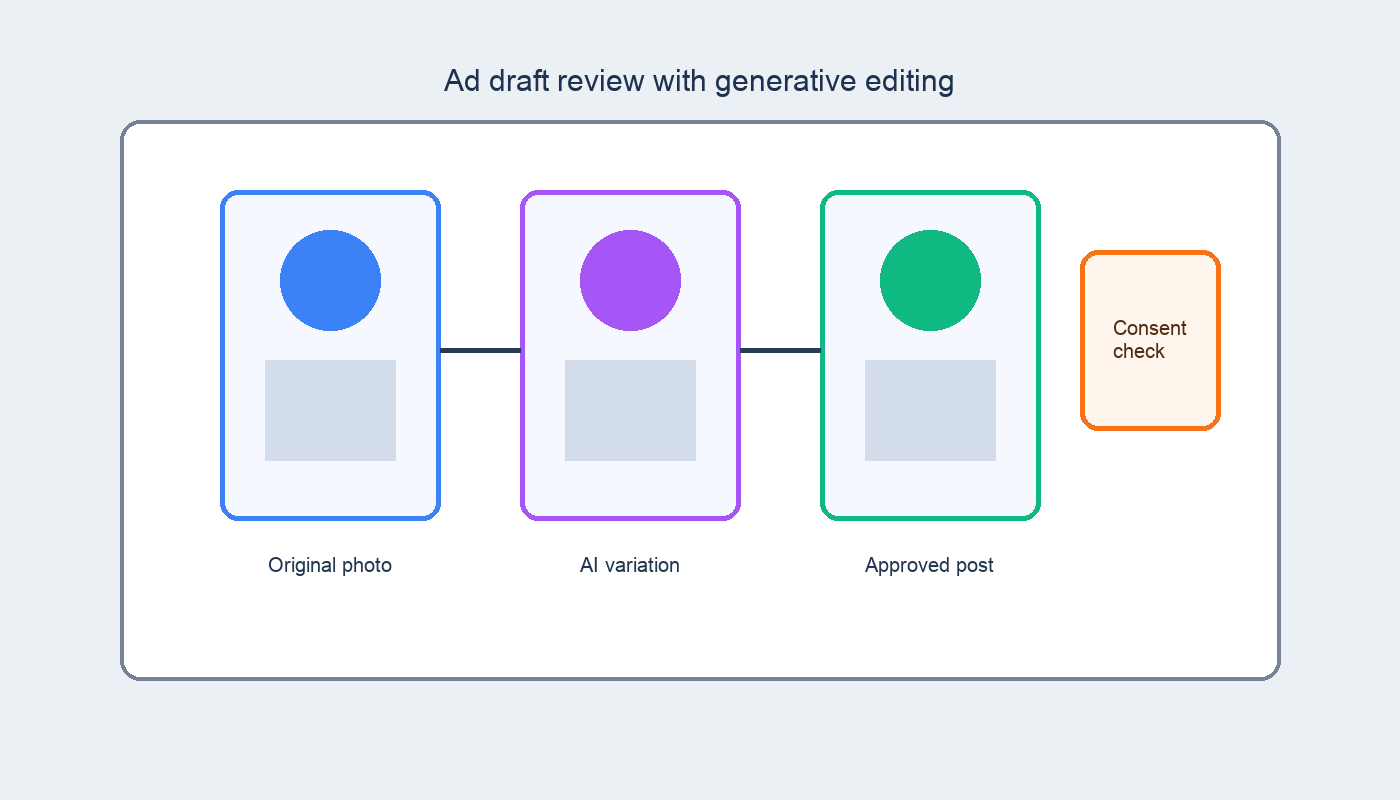
Reuters and CNBC point to the same product shift: Muse is not just a demo model, but a capability placed inside Meta's own app surfaces.
How it works
As a product flow, Muse Image has four steps. First, the user enters a text prompt or provides an existing photo. Second, the model separates the subject, scene, style, and edit request. Third, it generates a new image or redraws only part of the image. Fourth, the user continues editing through sketches or annotations, such as “change only this background” or “remove this object.”
A small business, for example, could upload a product photo and ask for “the same item on a summer outdoor table, but keep the logo unchanged.” In professional editing software, that would require background removal, compositing, and color adjustment as separate tasks. In a social generative AI tool, those steps are compressed into conversational edits.
Muse Video should be read more carefully. Reuters said Meta also announced an early preview of its video generation model. Video is harder than still images because the subject has to remain stable across frames, and motion, lighting, and camera changes must make sense over time. That is why practical uses are likely to start with short clips, ad drafts, and feed-ready variations before expanding into longer production workflows.
Product structure
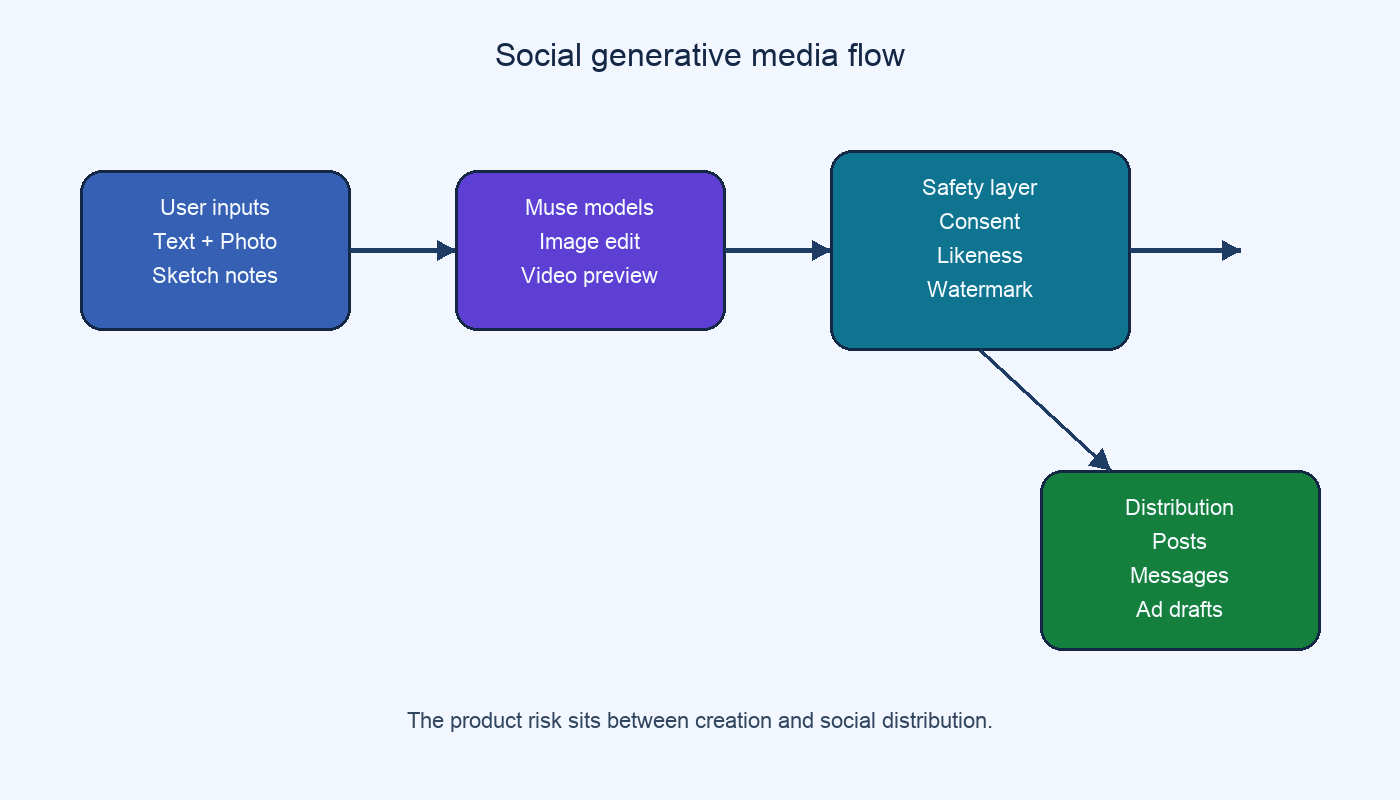
The left side of the diagram is user input. Text, photos, sketches, and annotations can be combined so the model can generate a new image or change a selected region. The middle safety layer represents controls for public-photo reuse, faces, brands, sensitive scenes, watermarking, and provenance. The right side is Meta's existing distribution surface: posting, ad mockups, and message sharing.
The important point is that the model is not the whole product. The same generative capability becomes a creative tool when it lives in a standalone app, but becomes part of a relationship network and privacy policy when it lives inside a social platform. Users gain convenience, while the platform has to design much stricter rules for rights, consent, and misuse.
Checkpoints
- Consent and likeness: A public photo is not the same as permission for synthetic reuse. Features that call up people's images need clear defaults, opt-outs, and notifications.
- Truthfulness in advertising: Fast ad mockups are useful, but they can also create scenes that do not match the real product. Disclosure and review rules have to catch up.
- Temporal consistency in video: A short clip may look plausible while hands, text, logos, or object positions shift over time. Brand use still needs human review.
- Platform lock-in: When generation, editing, and distribution all happen inside one company's apps, the workflow is convenient, but portability, rights metadata, and compatibility with outside editing tools may suffer.
Muse is therefore more than another image model. It shows what happens when generative AI moves from standalone services into the default editing layer of everyday apps. In that sense, social generative AI is less a separate tool category than a new interface layer for media feeds. The evaluation cannot stop at sharpness or prompt adherence; it also has to include who supplied the input, whose photos can be reused, and where the output will appear.
For readers, two practical checks matter. First, look for the settings that control whether your own photos can be used in other people's generated content. Second, if you plan to use AI-generated images for work or advertising, review rights and factual accuracy before celebrating the speed of creation.




No comments:
Post a Comment